May 21, 2026
Email Validator NPM vs Email Validation API: What to Use in 2026
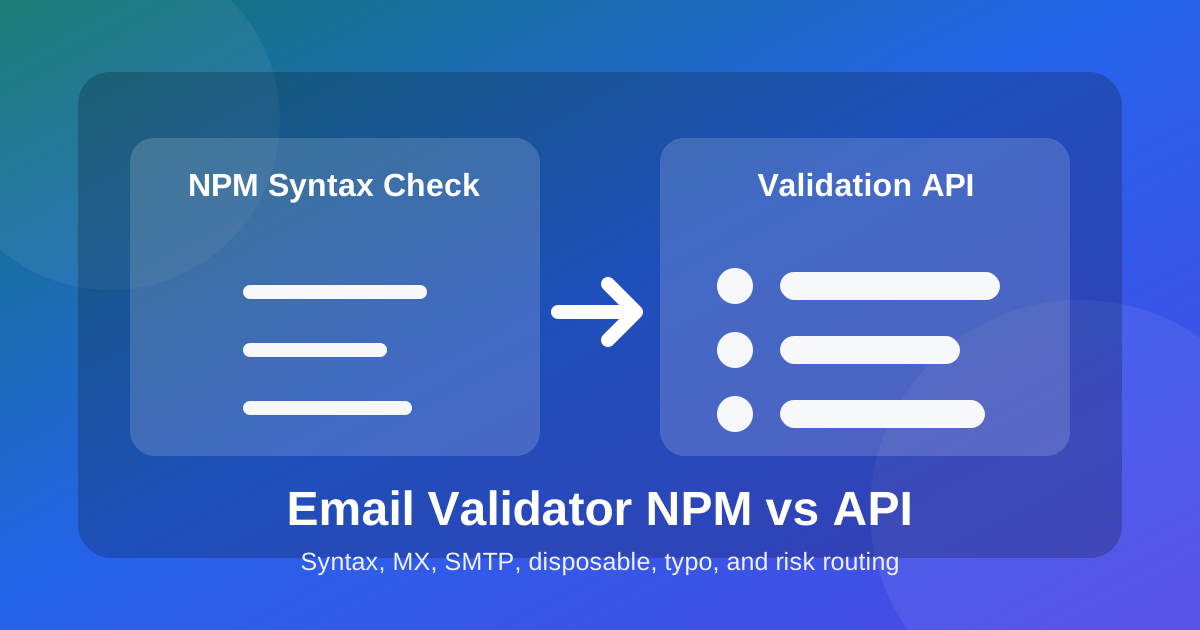
A syntax validator can tell you whether an email looks like an email. It cannot tell you whether the address can receive mail, belongs to a temporary inbox, has a typo, or should create a customer record.
Executive Summary
Use an email validator npm package for fast client or server syntax checks. Use an email validation API when a bad address can waste credits, create a fake account, damage sender reputation, or pollute CRM data. The strongest production pattern is progressive validation: local syntax first, then API-backed MX, SMTP, disposable, typo, name, free-provider, domain-age, and risk scoring before the record moves forward.
What Is an Email Validator NPM Package?
An email validator npm package checks whether a string follows an email address format. Popular packages such as isemail and validator libraries are useful because they run locally, return quickly, and catch obvious mistakes: missing @, invalid characters, double dots, or a domain with no top-level extension.
That is valuable, but it is only the first gate. maya@gmial.com can pass a syntax check and still be a typo. founder@temporary-inbox.example can be syntactically valid and still be a poor signup. sales@company.com may exist, but it may be a shared role address that performs badly in sales outreach. Syntax is necessary. It is not a deliverability verdict.
What Is an Email Validation API?
An email validation API verifies the address through live deliverability and risk signals. Email-Check.app checks RFC-style syntax, DNS and MX records, SMTP mailbox reachability without sending an email, disposable email domains, common typos, free-provider status, name extraction, domain age, and a risk score that helps teams decide whether to allow, repair, review, or suppress the address.
This distinction matters most when the email triggers cost or trust. A newsletter form can tolerate a gentle correction prompt. A SaaS signup that creates API keys, a demo request that enters Salesforce, or a pre-campaign list import needs stronger evidence. If a team starts with a 12% invalid rate and routes the list down to 1.8%, the gain is not just fewer bounces. It means fewer wasted messages, cleaner attribution, and less mailbox-provider risk.
Email Validator NPM vs Email Validation API
| Question | Email Validator NPM | Email Validation API |
|---|---|---|
| Does the email have valid syntax? | Yes. | Yes, plus detailed failure signals. |
| Does the domain receive email? | No DNS or MX confirmation unless you add it. | Checks DNS and MX records. |
| Can the mailbox accept mail? | No. | Runs SMTP verification without sending a message. |
| Is it disposable or temporary? | Only if you maintain your own list. | Detects disposable domains as part of the response. |
| Can it recover typos? | Usually no. | Flags domain mistakes like gmial.com and yaho.com. |
| Best use | Instant feedback and low-risk formatting checks. | Signups, demo forms, CRM imports, campaigns, and fraud controls. |
How to Reduce Bounce Rate Without Slowing Forms
Do not force one validation layer to do every job. Fast local syntax validation should run while the user is typing or when the field blurs. The API call should happen when the user is ready to submit, when the email opens a meaningful workflow, or when a CSV is being prepared for import. This keeps the form responsive while still protecting the system from bad records.
Capture
Syntax
MX
SMTP
Risk
Route
The routing policy should be explicit. Invalid format or a typo suggestion should prompt a correction. Missing MX records or disposable status should block high-value actions. SMTP unknown, catch-all, or low score should go to review for B2B sales lists. High-confidence addresses can continue into onboarding, checkout, CRM routing, or campaign automation.
API Example: Validate Emails Without Sending
SMTP verification sounds intrusive, but the practical pattern is a mailbox check without sending a message. Email-Check.app can run the deliverability check and return a JSON result your app can route.
curl -G "https://api.email-check.app/v1-get-email-details" \
  -H "accept: application/json" \
  -H "x-api-key: YOUR_API_KEY" \
  --data-urlencode "email=maya@gmial.com" \
  --data-urlencode "verifyMx=true" \
  --data-urlencode "verifySmtp=true" \
  --data-urlencode "suggestDomain=true" \
  --data-urlencode "detectName=true" \
  --data-urlencode "checkDomainAge=true"
JavaScript Example: Pair validator.isEmail with Email-Check.app
The safest developer experience is not a debate between npm and API. Use both. The local package catches malformed input without a network call. The API catches business risk before the address becomes expensive.
import validator from "validator";

type EmailCheckResult = {
  email: string;
  validFormat: boolean;
  validMx: boolean | null;
  validSmtp: boolean | null;
  isDisposable: boolean;
  isFree: boolean;
  score?: number;
  domainSuggestion?: { suggested?: string | null } | null;
};

type EmailDecision = "allow" | "prompt_correction" | "review" | "block";

async function validateEmailForSignup(email: string): Promise<EmailDecision> {
  if (!validator.isEmail(email)) {
    return "prompt_correction";
  }

  const params = new URLSearchParams({
    email,
    verifyMx: "true",
    verifySmtp: "true",
    suggestDomain: "true",
    detectName: "true",
    checkDomainAge: "true",
  });

  const response = await fetch("https://api.email-check.app/v1-get-email-details?" + params, {
    headers: {
      accept: "application/json",
      "x-api-key": process.env.EMAIL_CHECK_API_KEY ?? "",
    },
  });

  if (!response.ok) {
    return "review";
  }

  const result = (await response.json()) as EmailCheckResult;

  if (!result.validFormat || result.domainSuggestion?.suggested) {
    return "prompt_correction";
  }

  if (!result.validMx || result.isDisposable) {
    return "block";
  }

  if (!result.validSmtp || (result.score ?? 0) < 70) {
    return "review";
  }

  return "allow";
}
Bulk Example: Clean CRM and Marketing Lists
Existing databases need a different workflow. Run old CSV exports, event lists, webinar attendees, and paid lead files through bulk validation before campaign upload. The output should not be one giant approved list. Export send-ready, repair, review, and suppress segments so marketing and sales know exactly what changed.
import csv
import requests

API_KEY = "YOUR_API_KEY"

def validate(email: str) -> dict:
    response = requests.get(
        "https://api.email-check.app/v1-get-email-details",
        headers={"accept": "application/json", "x-api-key": API_KEY},
        params={
            "email": email,
            "verifyMx": "true",
            "verifySmtp": "true",
            "suggestDomain": "true",
            "detectName": "true",
            "checkDomainAge": "true",
        },
        timeout=10,
    )
    response.raise_for_status()
    return response.json()

with open("crm-export.csv", newline="") as source, open("send-ready.csv", "w", newline="") as target:
    reader = csv.DictReader(source)
    fieldnames = [*reader.fieldnames, "email_score", "email_route"]
    writer = csv.DictWriter(target, fieldnames=fieldnames)
    writer.writeheader()

    for row in reader:
        result = validate(row["email"])
        route = "send"
        if result.get("domainSuggestion"):
            route = "repair"
        elif result.get("isDisposable") or not result.get("validMx"):
            route = "suppress"
        elif not result.get("validSmtp") or result.get("score", 0) < 70:
            route = "review"

        writer.writerow({**row, "email_score": result.get("score", 0), "email_route": route})
Valid vs Invalid vs Risky Email Types
| Email Type | Example | Recommended Action |
|---|---|---|
| High-confidence mailbox | Valid syntax, MX, SMTP, not disposable, strong score | Allow signup or send. |
| Typo candidate | gmial.com, yaho.com, hotnail.com | Prompt correction before submission. |
| Disposable address | Temporary mailbox or throwaway domain | Block accounts, trials, orders, and high-intent forms. |
| Role-based email | info@, admin@, support@, sales@ | Review for B2B routing. Avoid cold campaign automation by default. |
| SMTP unknown | Mailbox provider blocks verification or catch-all behavior | Review, throttle, or require confirmation before campaign sends. |
Real-Time Validation vs Bulk Validation
Real-time validation protects the door. Bulk validation cleans the room. Use real-time checks on signup forms, checkout forms, demo requests, content downloads, and account settings. Use bulk validation before newsletter sends, CRM migrations, sales-sequence imports, data warehouse syncs, and old segment reactivation.
A practical operating rule: validate at capture when the address will trigger account creation or revenue workflow, then revalidate before large sends when the data is older than 60 to 90 days. The first step stops new junk. The second catches data decay from job changes, expired domains, abandoned mailboxes, and stale vendor lists.
Where to Go Next
Start with the live email validation demo to inspect the response fields. Developers can review the API reference or the email validator JavaScript package. Marketing teams should pair this workflow with bounce-rate reduction, SMTP verification, and disposable email detection.
FAQ
Should I remove npm email validation?
No. Keep it for instant syntax feedback. Just do not confuse syntax with deliverability. A local validator is the first layer, not the final decision for signup, CRM, or campaign risk.
Can I validate emails without sending a confirmation email?
Yes. Email-Check.app uses DNS, MX, SMTP, disposable, typo, and risk checks without sending an email to the recipient. Confirmation emails are still useful for consent and engagement, but they are not the only quality gate.
What is the best policy for risky emails?
Match the policy to the workflow. Block risky emails from account abuse paths. Route uncertain B2B leads to review. Suppress invalid and disposable emails before marketing sends. Prompt typo fixes immediately so good leads are not lost.